PrintPal Review: AiMiracle Rates Our AI 3D Model Generator 4.5/5

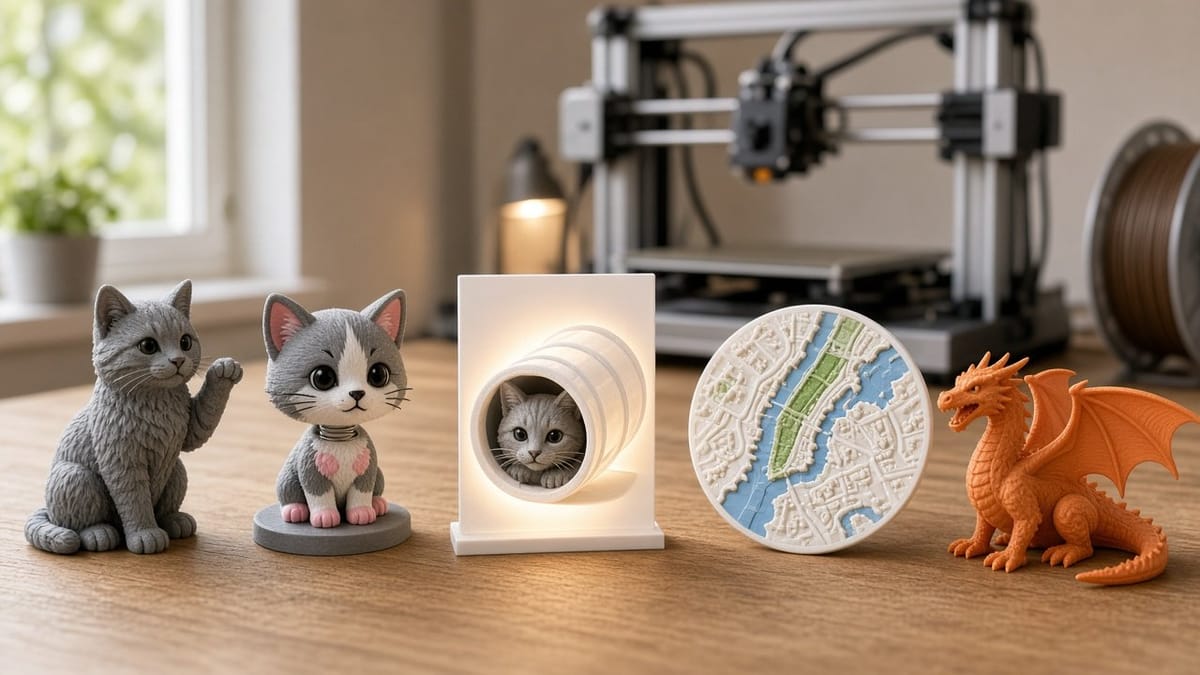
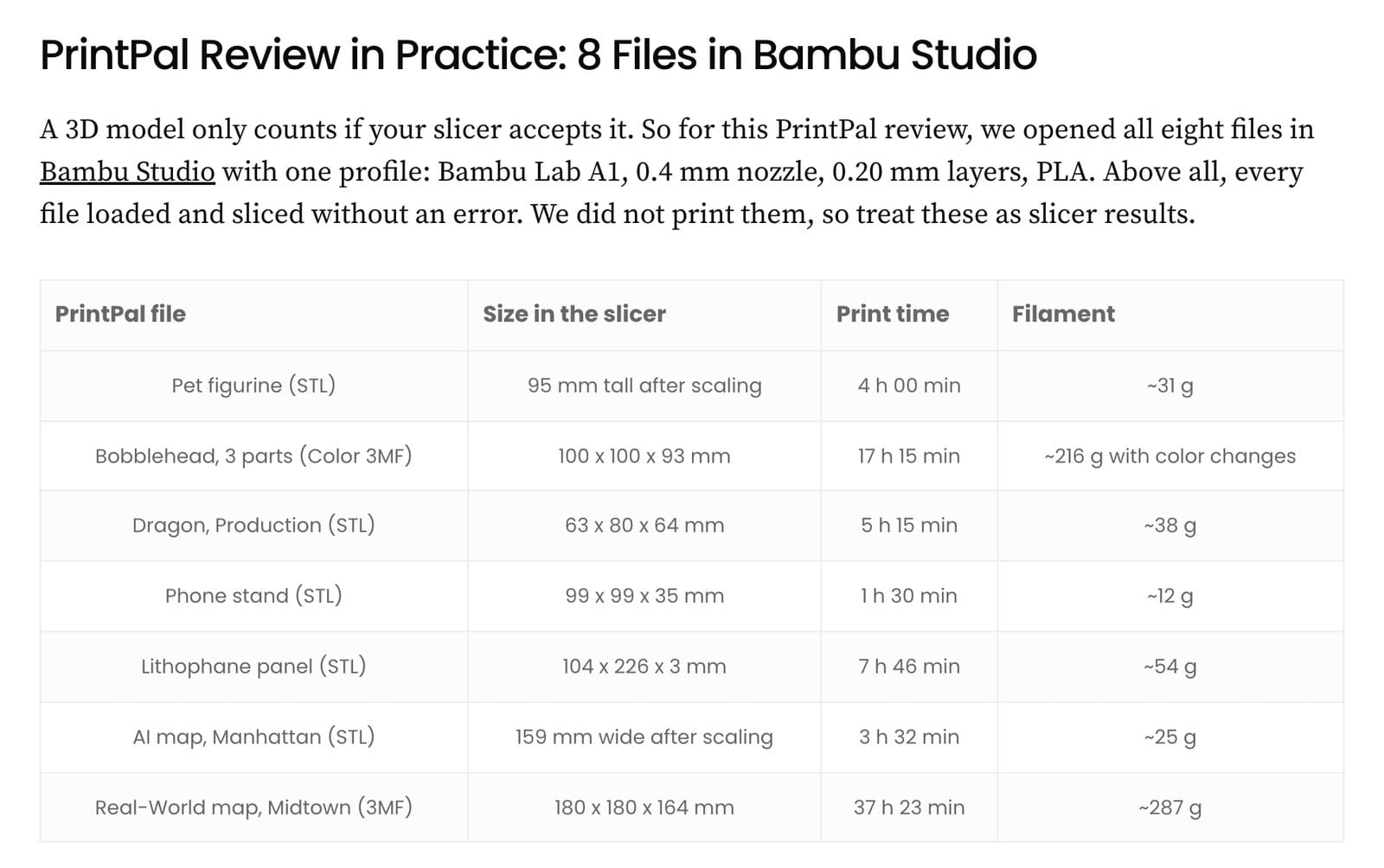
AiMiracle just published an independent PrintPal review after a full day on the Pro plan. They turned a cat photo into a 3D figurine, built Manhattan as a 3D map, made a lithophane and used text to 3D for a dragon and a phone stand. Then they opened every file in Bambu Studio. All eight sliced without a single error.
Photo to 3D model, ready for the slicer
"Most AI 3D tools stop at the model. PrintPal, however, goes all the way to the slicer." Upload a photo or type a prompt into the AI 3D model generator and you get an STL, OBJ, GLB or multicolor 3MF your printer understands. No CAD, no Blender.
What stood out
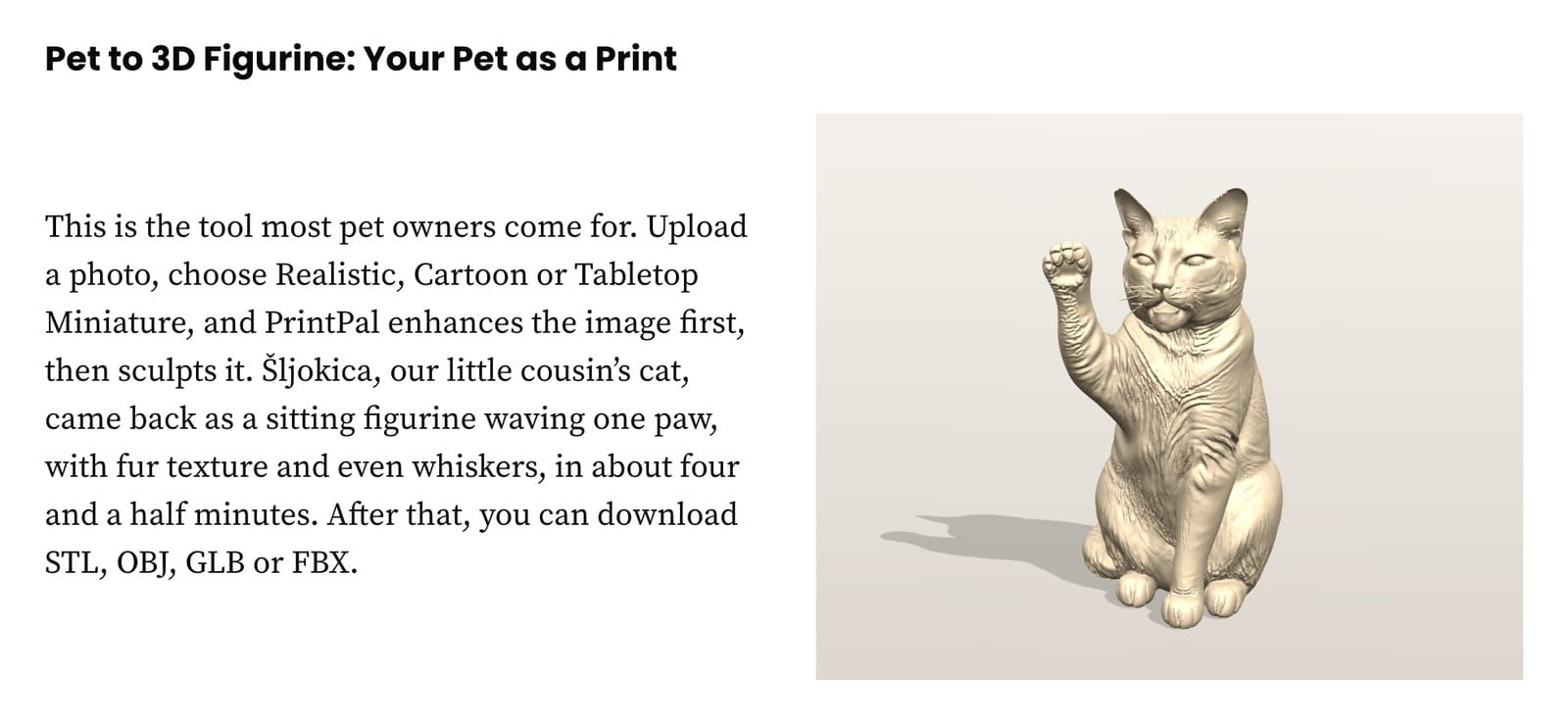
- Pet to 3D figurine: a cat portrait became a detailed figurine, whiskers included, in about four and a half minutes.
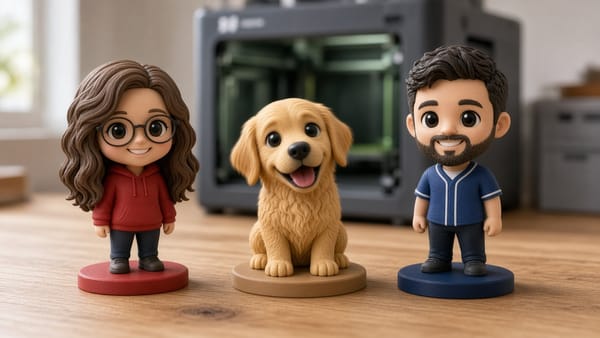
- Custom bobblehead maker: splits head, body and spring, then exports a multicolor 3MF ready for AMS in Bambu Studio or OrcaSlicer.
- Free lithophane generator: a phone photo became a 104 x 226 mm lamp panel in seconds, no credits used.
- Real-world 3D map generator: free, built from OpenStreetMap, with 272 Midtown buildings merged into the terrain.
PrintPal vs Meshy
AiMiracle ran the same inputs through Meshy. On the dragon, the two were practically even. The difference is focus: Meshy is a general 3D tool for games and animation, while PrintPal is built only for 3D printing.
Is PrintPal free? Is it legit?
Yes to both. The free plan gives you 10 AI generations a month with STL and OBJ export, no credit card. Pro is $10 a month ($8 billed yearly) with 200 generations, every tool and commercial rights, which the review calls "the sweet spot" for most makers. Checkout runs through Stripe, and you can cancel anytime from Settings. One note: PrintPal.io is not the ink shop at printpal.com.
Their best tip
Use a clean photo. A plain background with the whole pet in view gives the cleanest figurine.
Try it yourself
Read the full PrintPal review on AiMiracle, then turn your own photo into a print with the PrintPal 3D Model Generator. Start free and upgrade when you want Production quality.