Make a Magic 8-Ball on a Round ESP32

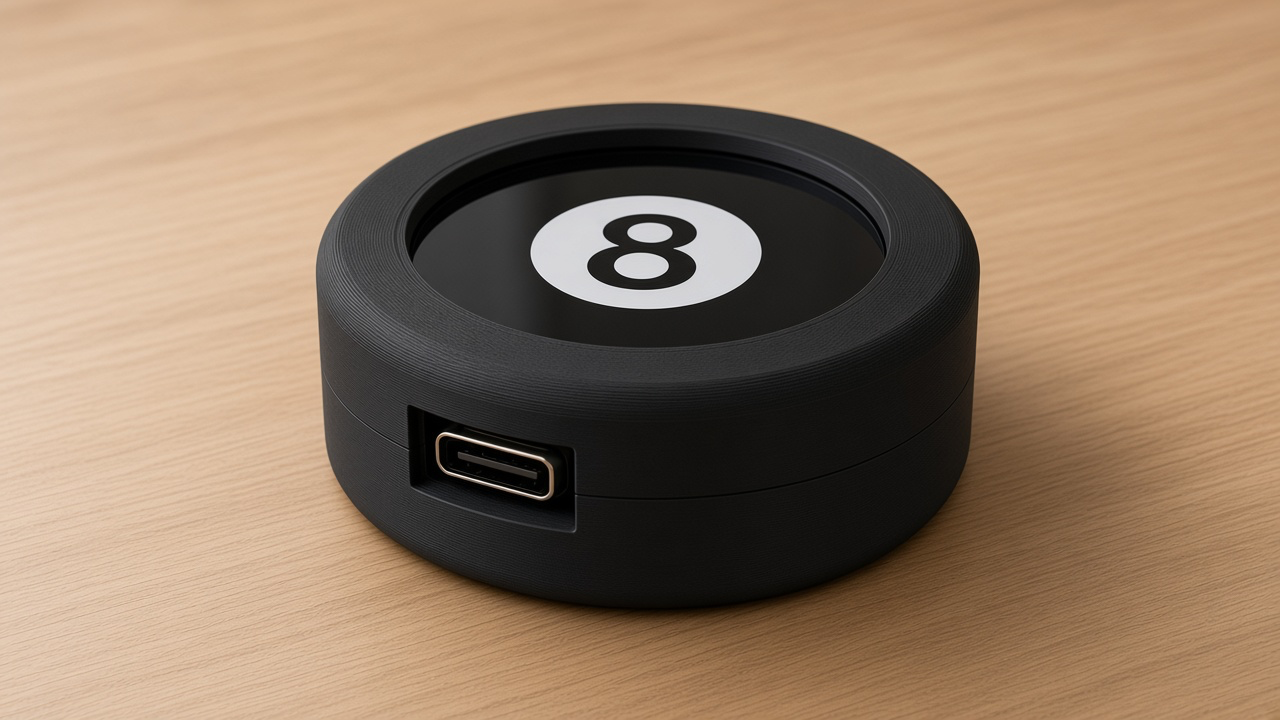
A magic 8-ball hides a die in blue liquid. This one hides a small computer. You print a round black puck, snap in a Waveshare round screen, and shake it. A blue window swirls up, a triangle rises, and a two-line fortune appears. Tap to ask. Tap again and the 8 comes back.
The board is the Waveshare ESP32-S3-Touch-LCD-1.28 (Amazon B0CM68M8LR), the PrintPal Desk Pal puck. It is about 39 mm across, with a 240×240 GC9A01 round LCD, a CST816S touch glass, a QMI8658 motion sensor, and USB-C. This toy does not use Wi-Fi. The whole game lives on the chip.
A program can have moods
The firmware is a state machine. That is a program with a few moods, and rules for how it changes mood. This 8-ball has three:
- Idle — the glossy black ball and the 8, waiting.
- Swirl — you shook it or tapped it. The answer is already picked, but the blue window is still spinning. A normal shake swirls for 1.6 seconds. A hard shake swirls for 2.4 seconds.
- Reveal — the triangle is up and the two lines of the fortune show.
Shake or tap while it is idle, and it starts swirling. Tap during the swirl to skip ahead to the answer. Tap the fortune to go back to the 8. Same idea as a traffic light: one color at a time, and a reason to change.
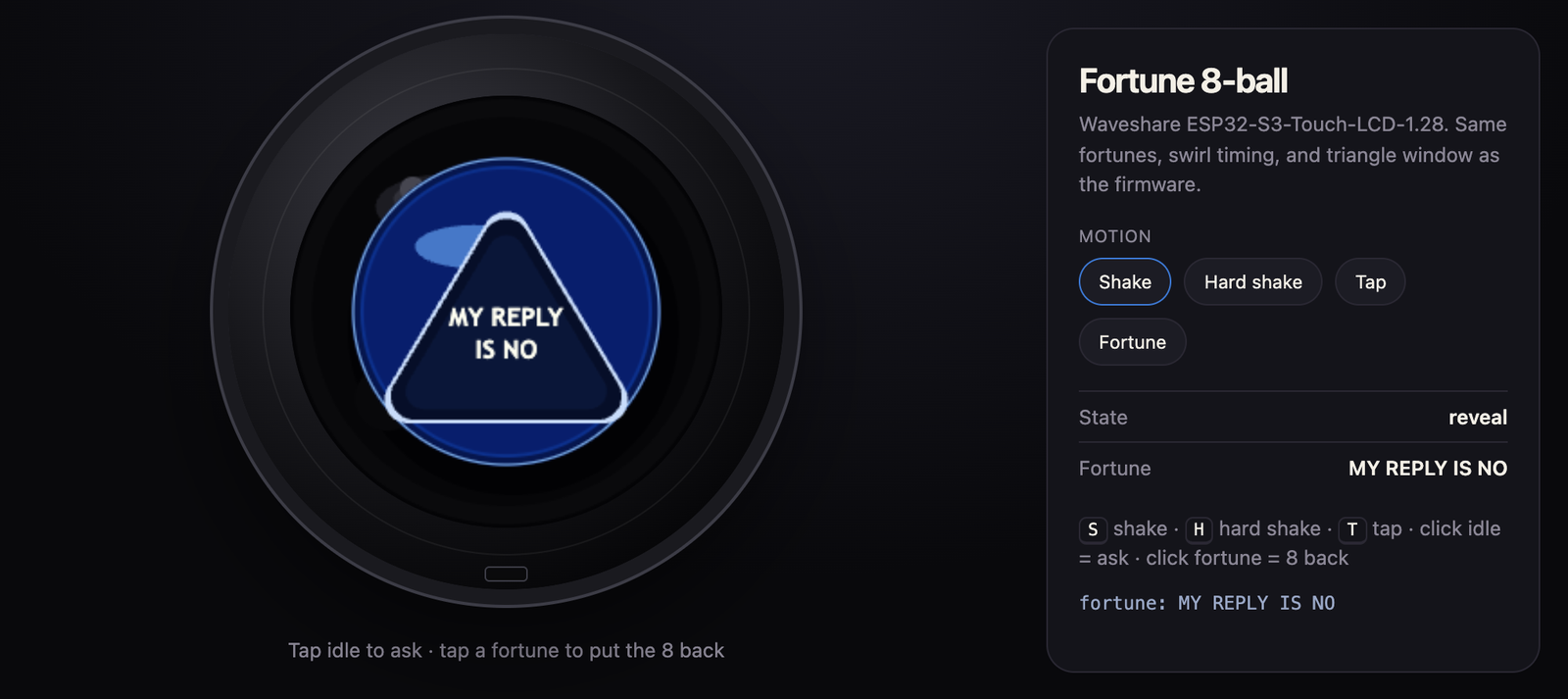
The sensor feels a shake
Inside the puck, the QMI8658 is an IMU. The part we use most is the accelerometer. Sitting still, it feels Earth's gravity, about 1 g. A shake is a sudden jerk on top of that 1 g. The chip also has a gyro, so a fast twist counts too.
The program keeps a "how wild is this?" number. Setting the puck on the desk does not count. A real wrist flick has to stay wild enough — past a threshold of about 2.35 — for 90 milliseconds. After a fortune starts, the sensor rests for 900 milliseconds, so one shake does not become five.
If you are holding a finger on the glass, shake is ignored. A tap should not also count as a shake.
Answers are a list you can edit
A fortune is two short lines so they fit in the triangle. The sketch stores 20 of them in an array, a numbered list. Some are the classic lines (IT IS / CERTAIN, REPLY HAZY, / TRY AGAIN). Some are printer jokes (YES, ADD / SUPPORTS, THE SPAGHETTI / KNOWS).
When you ask, the chip picks a number with its random generator and shows that pair. It tries not to repeat the one you just saw. To add your own, put another pair in the list, keep each line short, and load the program again. The deck does not change shape. Only the card you draw changes.
The picture is drawn in memory first (a sprite), then copied to the GC9A01 in one step. That is why the triangle does not flicker while it rises.
Print the shell
Print the snap shell in black PLA at 0.16–0.2 mm layers, with 3 walls. It is a small round puck, not a full-size billiard ball. About 15–25 g of filament is enough. Snap the board in so USB-C sits in the slot. The screen stays USB-down on a desk on purpose, so the 8 always reads the same way. Shake still works when you pick it up.
The OpenSCAD file and the step photos are on the PrintPal fortune 8-ball project.
Flash it from the project page
You do not have to install Arduino to play.
- Open printpal.io/projects/fortune-8ball in Chrome or Edge on a computer.
- Plug the puck into the computer with a data USB-C cable. A charge-only cable will not show a port.
- Click Flash to board and choose the port. On Windows, install the WCH CH34x driver if the port never appears (this puck uses a CH343 USB-UART chip). If it still hides, hold BOOT, tap RESET, and let go of BOOT.
- Wait until the write finishes. The screen should show the 8.
Safari on a Mac or iPhone cannot do this flash. It has no Web Serial. The page is on HTTPS, which is what Chrome and Edge require for that permission.
Catalog id is fortune-8ball, board s3-puck, and the downloadable file is the merged firmware image. To change the answer list later, use Arduino IDE (ESP32S3 Dev Module, OPI PSRAM, 16 MB flash, USB CDC On Boot) or the PlatformIO zip on the same page. The screen library must use USE_HSPI_PORT, or the round LCD stays black.
Shake it
Ask a yes-or-no question out loud. Shake the puck. Watch the swirl, then read the triangle. Tap to put the 8 back and ask again.
If you want to see what the chip is thinking, open a serial monitor at 115200 baud. These words work: tap, shake, fortune, status, help. status tells you the mood and whether the QMI8658 and the touch chip woke up. If the motion sensor is missing, shake will not work, and tap still will. fortune skips the swirl, which is handy when you are filming.
That is the whole DIY electronic 8-ball: three moods, a shake sensor, and a list you can rewrite.