ESP32 Touch Drawing: Finger Paint on a Round LCD

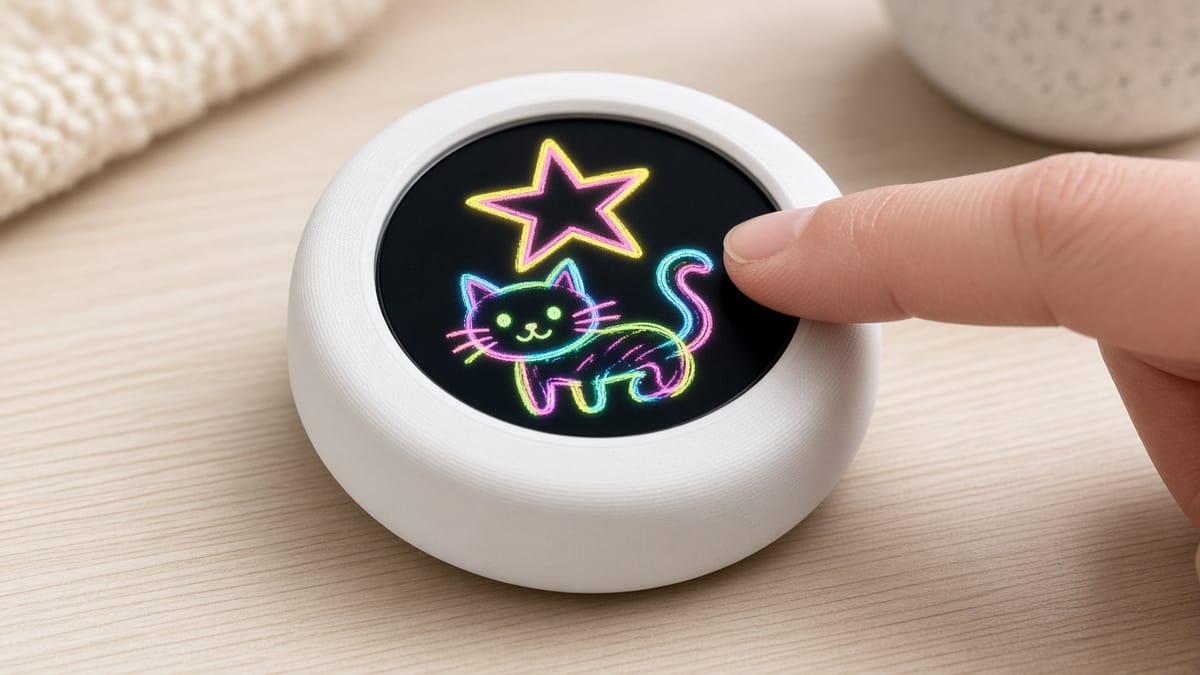
A round screen the size of a bottle cap can be a DIY etch-a-sketch ESP32. Drag a finger and ink follows. Hold still and the color changes. Shake the puck and the drawing turns to dust.
The board is the Waveshare ESP32-S3-Touch-LCD-1.28 (Amazon B0CM68M8LR). Its cover is a circle 38.51 mm across. Inside: a 1.28 inch GC9A01 round LCD, a CST816S touch chip, and a QMI8658 motion sensor, on an ESP32-S3 with USB-C. PrintPal’s touch doodle is the program that makes this GC9A01 finger paint. This post is the idea. The case, the flash file, and the sketch are on that project page.
Pixels are graph paper
The GC9A01 is 240 pixels across and 240 down. A pixel is one colored dot, so this round LCD doodle has 57,600 dots in a square, and only the ones inside the circle get ink.
The middle is (120, 120). Right is +x. Down is +y. Screens grow downward, the opposite of the y-axis in math class.
Ink stays inside a circle of radius 118. A point is allowed when (x − 120)² + (y − 120)² is at most 118² (13,924). The glass is round. The memory behind it is a square. That inequality is the fence.
Color is three numbers
Each ink is red, green, and blue, from 0 (off) to 255 (full). The sketch stores six named colors, in this order:
- neon-red — (255, 40, 80)
- amber — (255, 160, 24)
- lemon — (255, 230, 40)
- lime — (40, 255, 100)
- cyan — (40, 200, 255)
- violet — (220, 80, 255)
The puck starts on cyan. Hold still for 1.5 seconds and the list steps forward. Keep holding and it steps again every 0.9 seconds. A double-tap jumps the same way.
The panel does not keep a full 24-bit color in every dot. It uses RGB565: 5 bits of red, 6 of green, 5 of blue. That is 16 bits, and 32 × 64 × 32 = 65,536 colors. Green gets the extra bit because eyes notice green more. You still pick colors as 0–255. The driver packs them down.
Your finger is an x and a y
The CST816S reports a touch as two numbers on that 240×240 grid. If the finger moves at least 10 pixels from where it landed, the program stamps a disc 3 pixels in radius and connects the stamps so the line does not break into dots.
Use one fingertip. A second finger resting on the glass can look like a long press, and the ink changes while you draw.
Shake is the eraser
The QMI8658 measures push and spin. Sitting still, the push is about 1 g — Earth’s gravity. A flick makes that length jump away from 1 g, and the gyro reports a fast turn in degrees per second.
Small motions are ignored: less than 0.28 g away from 1 g, and spins under 130 degrees per second. The shake has to stay strong for about 90 milliseconds before erase starts, so a desk bump does not wipe a picture. While a finger is down, shake is ignored. Drawing shoves the board, and that must not count as erase. Lift, then flick.
Erase is not a blank page. The program stamps specks of the background, a dark purple-black at (18, 16, 22), fades random pixels toward that color, and lets little motes fly off. It looks like Etch A Sketch dust. A harder shake clears more.
For a clean slate, open a serial monitor at 115200 baud and type clear. The board also understands color (a number, a name such as lemon, or list), status, and help.
Build it on PrintPal
Print a thin shell, snap the puck in with USB-C down, and flash the merged .bin from Chrome or Edge with the button on the page. Steps, the OpenSCAD shell, and the sketch are in the touch doodle build guide.
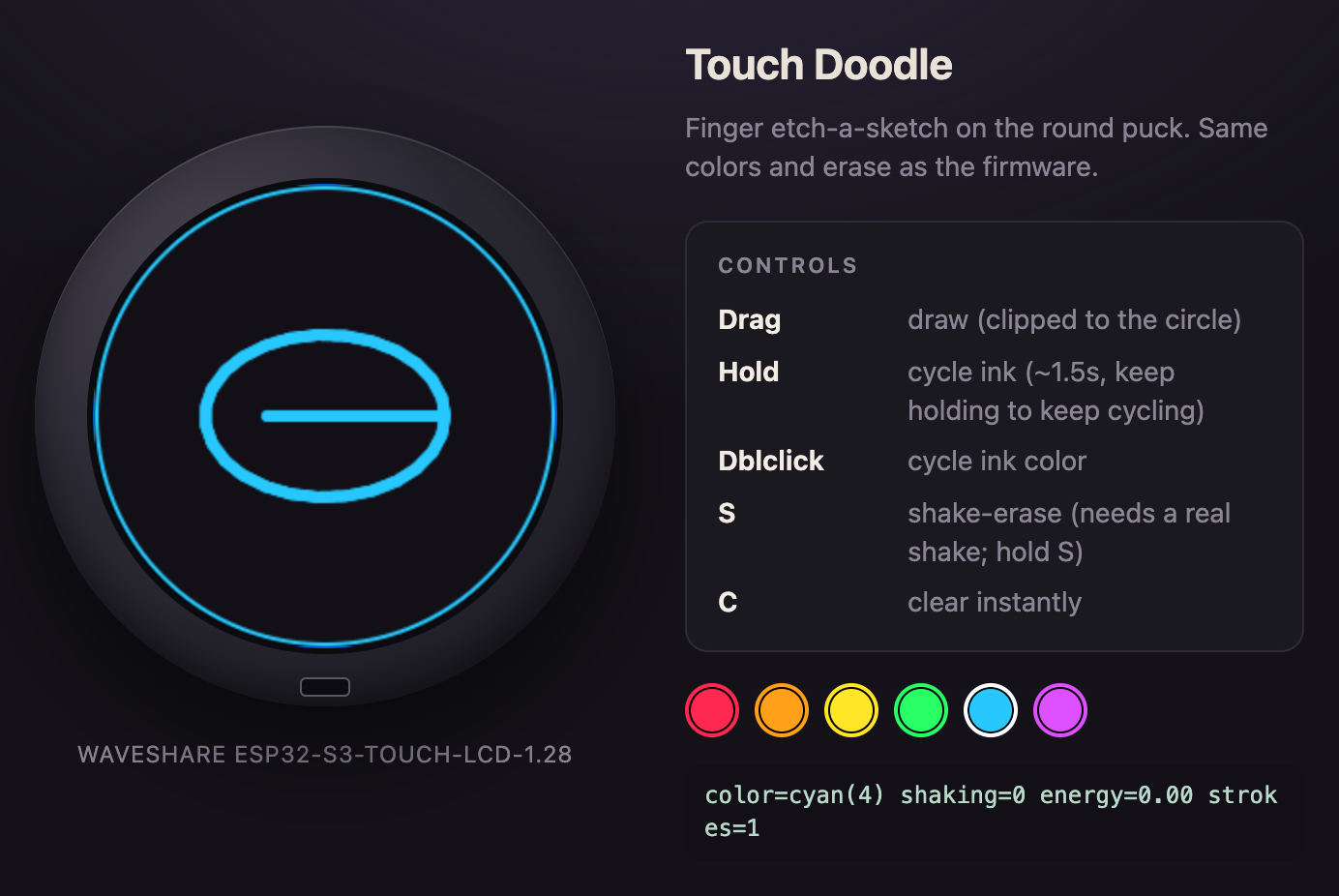
You can practice the same rules in the browser simulator before the board arrives. Drag draws. Hold or double-click cycles ink. Hold the S key for a shake-erase. C clears at once.
One experiment from the guide: type color lemon, then add a seventh ink as three numbers and flash again. Before you change anything, predict what happens if the clip radius were 40 instead of 118. The circle gets small. The test stays the same.