Introducing PrintPal Tools: A Free Suite of 3D Printing & Selling Tools

We've been busy. Today we're launching PrintPal Tools: a collection of free, browser-based tools built specifically for 3D printing creators, makers, and sellers. No downloads. No installs. Every tool runs directly in your browser. Whether you're tuning your printer, designing new models, or scaling your Etsy shop, we built something for you.
👉 Explore all tools → https://printpal.io/tools
For Sellers: Make More Money, Spend Less Time
If you sell 3D prints on Etsy, Facebook Marketplace, or your own online shop, you know the pain: writing descriptions, figuring out pricing, taking decent product photos. We built tools to take that off your plate.
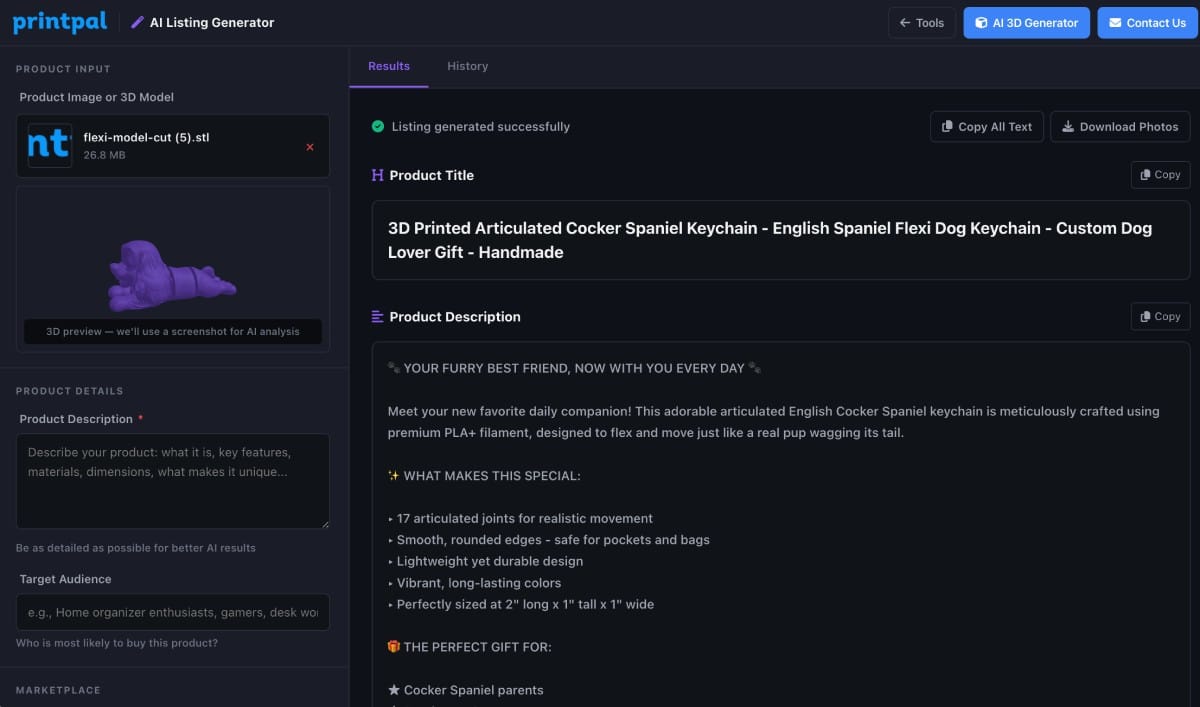
AI Product Listing Generator
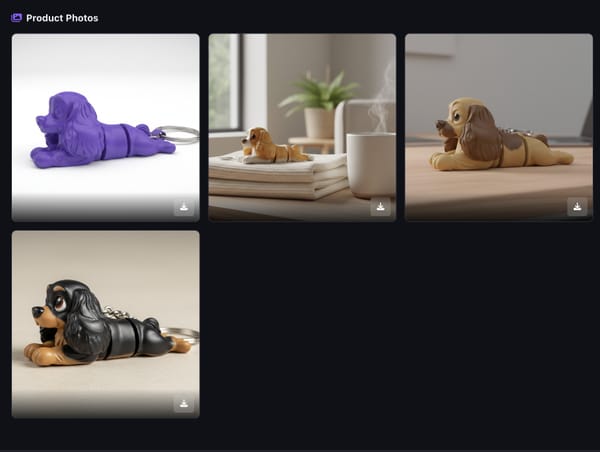
This is the one we're most excited about. Upload a photo of your 3D print (or a 3D model file), tell it what it is and who it's for, and the AI generates:
- SEO-optimized title, description, and tags tailored for your target platform
- 3–5 polished, studio-quality product photos generated by AI
One click. Everything you need to list and sell. Pro subscribers get 1 free generation per month, Studio gets 5, or you can use API credits for unlimited.
For Designers: Create Without CAD
Flexi/Articulated Model Creator
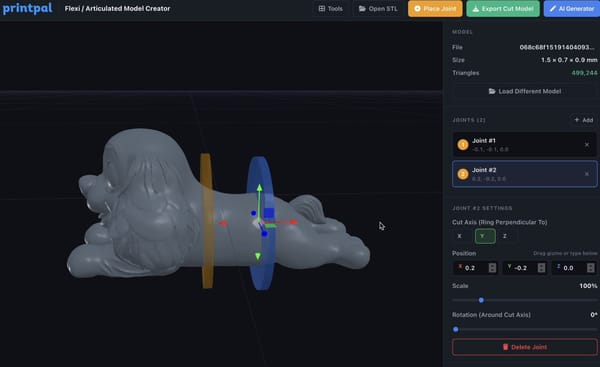
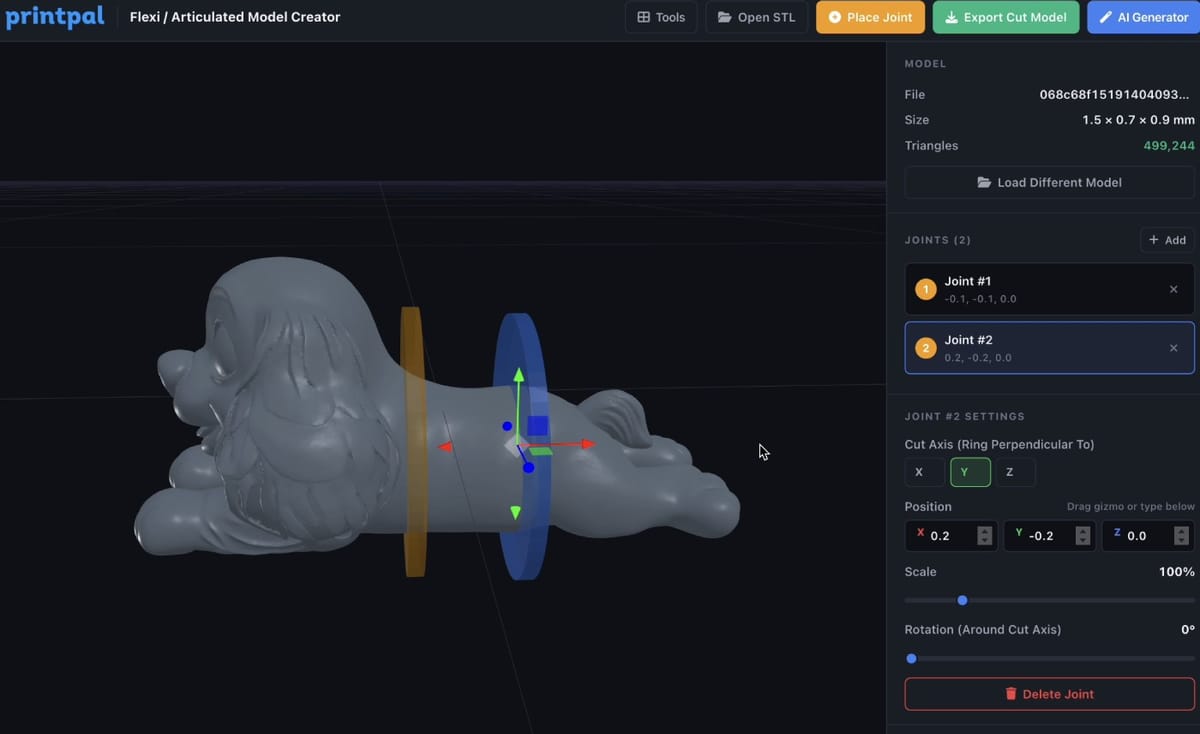
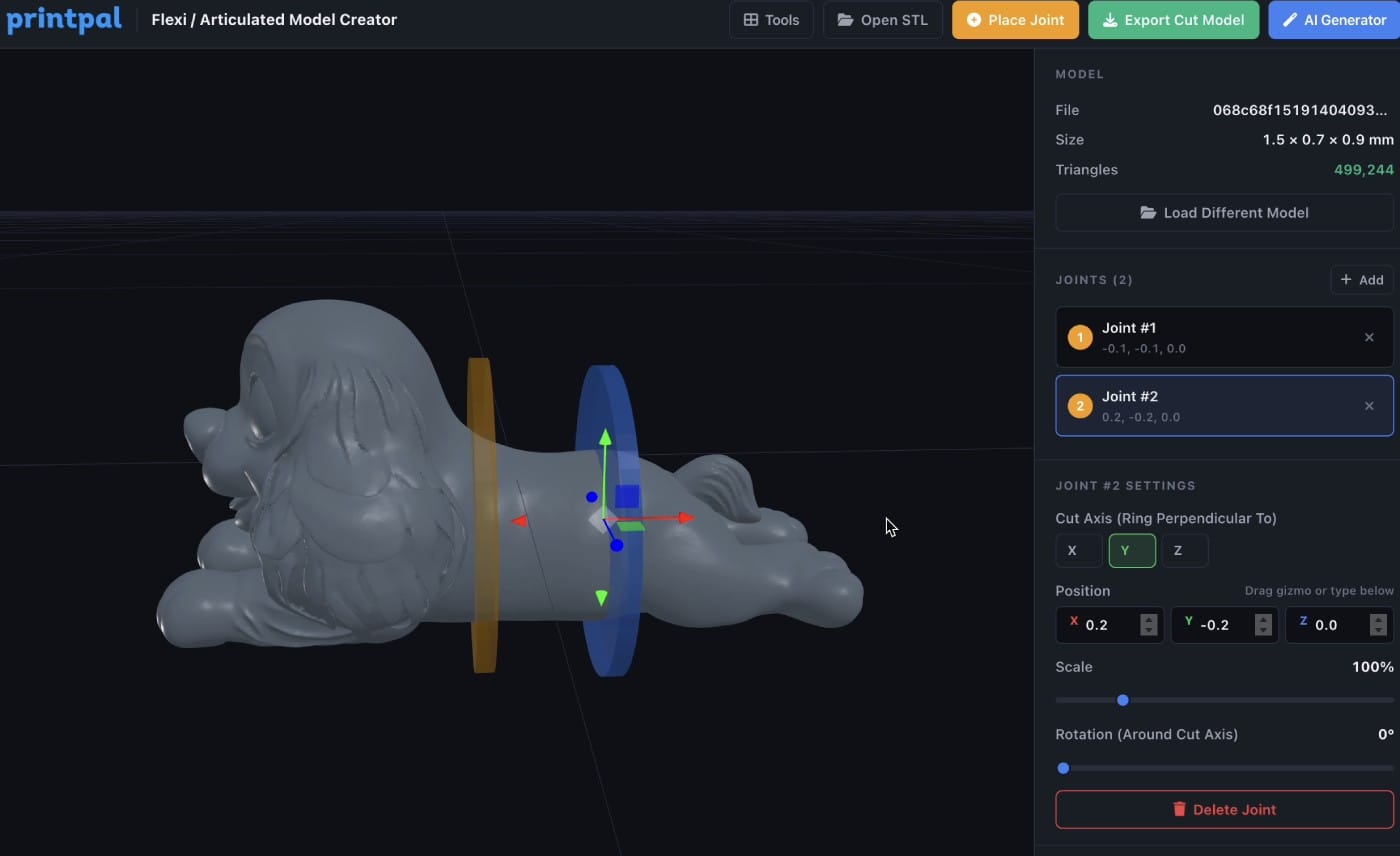
This is a first-of-its-kind browser tool. Upload any STL file and turn it into a flexible, articulated print:
- Upload your rigid model
- Click anywhere on the model to place flexi joints
- Adjust the axis, size, and position of each joint
- Export the cut model: ready to print with flexible movement
No CAD experience needed. No software to download. Turn a simple figurine into a posable action figure, or a static dragon into an articulated desk toy. The tool uses real boolean subtraction to cleanly cut the model at each joint location, and you can place as many joints as you want.
Parametric Bin Generator
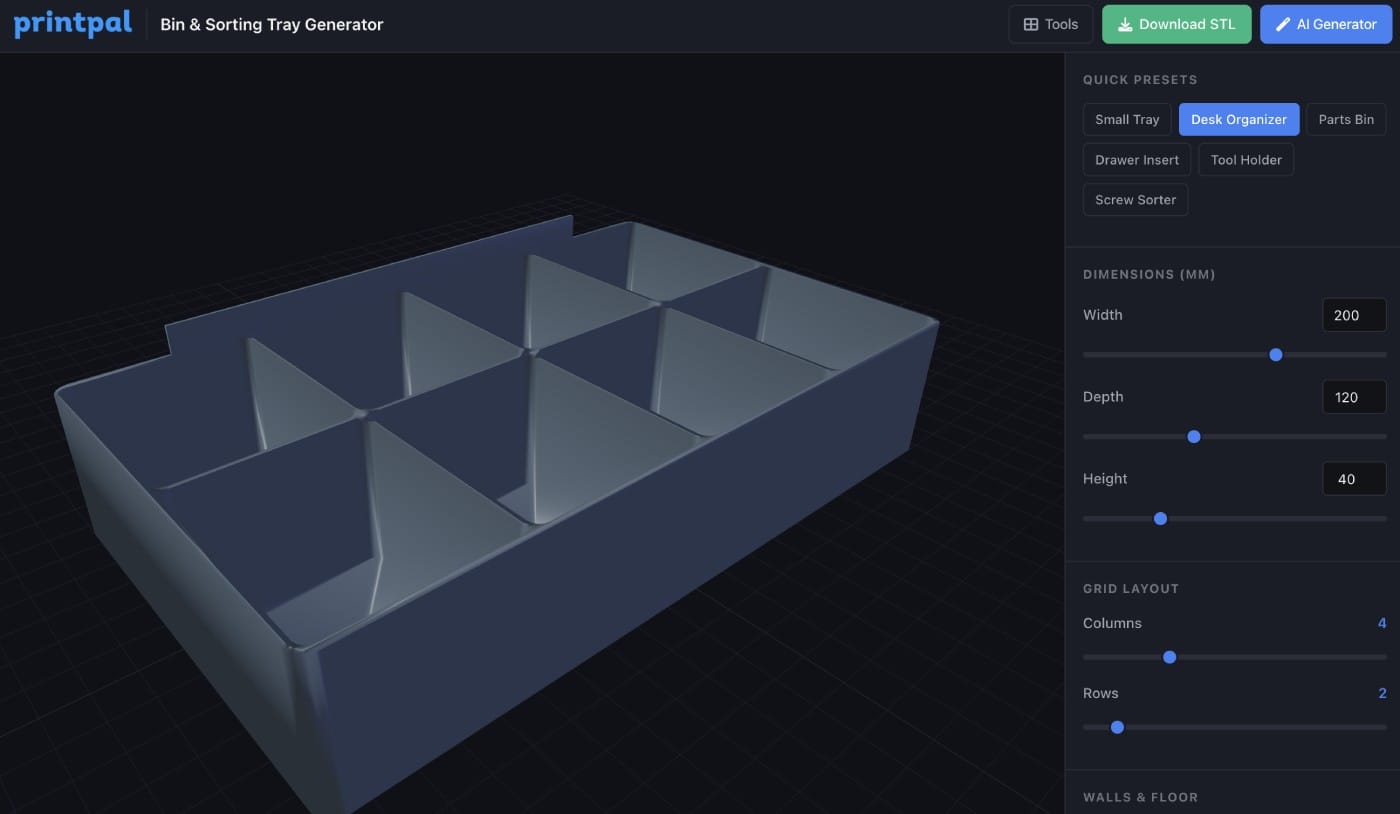
Design custom storage bins with adjustable dimensions, wall thickness, corner radius, dividers, and more. Preview your bin in real-time 3D, then export as STL. Perfect for organizing your workspace, drawers, or selling custom organizers.
3D Text Generator
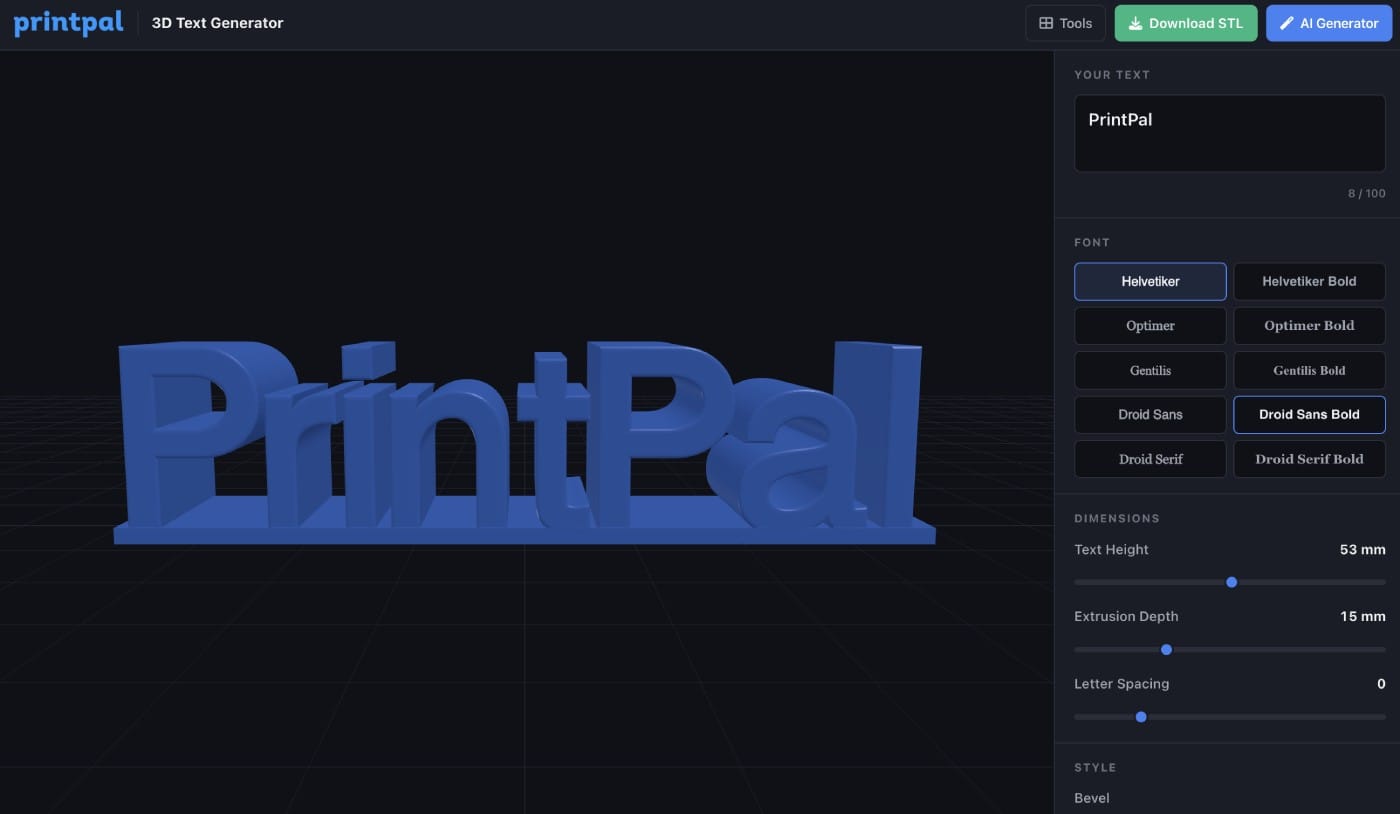
Type any text, choose your font, and generate an extruded 3D text model. Adjust size, depth, and export as STL. Great for custom nameplates, signs, cake toppers, and personalized gifts.
For Everyone: Viewer & Conversion Tools
3D Model Viewer
A full-featured online 3D model viewer. Drag and drop any STL, OBJ, GLTF, 3MF, or PLY file to view it instantly. See model dimensions, triangle count, and bounding box info. Rotate, zoom, and inspect from any angle.
3D Model Format Converter
Convert between STL, OBJ, GLTF/GLB, PLY, and 3MF — entirely in your browser. No file uploads to a server. Your files stay on your machine.
G-Code Viewer
Visualize your G-code files layer by layer. See travel moves, extrusion paths, layer heights, and print statistics. Debug print issues before they happen.
Lithophane Generator
Upload any image and convert it into a 3D lithophane — a thin panel that reveals a picture when backlit. Adjust thickness, resolution, and dimensions, then export as STL.
Why We Built This
We're makers too. We got tired of bouncing between five different websites to find a calculator, or downloading sketchy desktop apps just to convert a file format. PrintPal Tools is our answer: one place, everything free, everything fast. And for sellers - we know how much time goes into the non-printing parts of running a shop. The AI Listing Generator alone can save you 30+ minutes per product listing.
What's Next
This is just the beginning. We have more tools in the pipeline and we're actively taking suggestions. If there's a tool you wish existed, join our Discord and let us know.
👉 Try PrintPal Tools → https://printpal.io/tools
All tools are free to explore. Some advanced features (Flexi Model Creator export, AI Listing Generator) are available with a Pro or Studio subscription.